From Excel to insight: how automated bookkeeping changes the game
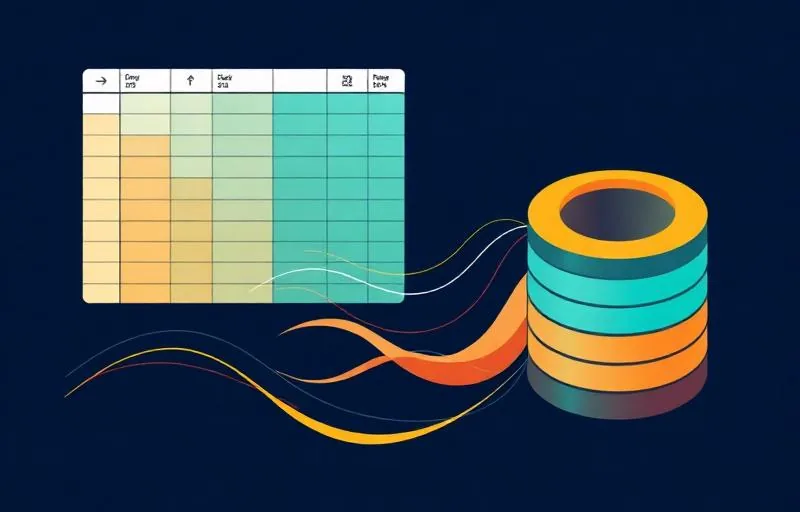
Spreadsheets are flexible, but they break the moment two people edit them. Moving to a structured, automated bookkeeping platform turns bookkeeping from a monthly event into a live source of truth.
Why spreadsheets break as you grow
At the start a spreadsheet is perfect: flexible, free and shaped exactly the way you want. But as your company grows, that flexibility turns against you. Two people editing at once, a formula accidentally overwritten, a tab no one understands anymore: a spreadsheet breaks precisely when more depends on it. And you often only notice once something has already gone wrong.
What automated bookkeeping does differently
An automated bookkeeping platform flips it around. Instead of you entering data, the data flows in automatically: invoices, bank transactions and expenses enter the administration on their own and get categorised against a chart of accounts designed for startups. Your bookkeeping is no longer a document someone has to maintain, but a system that updates itself.
From a monthly chore to an always-current source
The biggest difference is the rhythm. You update a spreadsheet when you remember, usually at month-end, with all the stress that brings. An automated platform is always current. Your figures aren't a snapshot of last month, but a living source of truth you can steer on at any moment.
What it concretely gives you
The benefits stack up:
- No more endless month-end reconciliation marathons.
- Audit-ready books at all times, so no panic when due diligence comes.
- A clean data layer that feeds your dashboards and investor reporting directly.
- Fewer errors, because manual re-typing disappears.
"But I actually have a grip in my Excel"
That sense of control is real, but it's a grip on the data entry, not on the numbers. As volume grows, that manual work costs you grip: you're busy keeping up instead of steering. Automation takes over the keeping-up, so you're left with what matters: the overview.
How switching works
Switching is less work than you think. We connect your bank accounts, import your historical data, set the booking rules and integrate the tools you already use. You keep working the way you're used to, and the software does the heavy lifting in the background. Within a few days everything is running.
What the transition actually involves
Moving from spreadsheets to a platform is mostly setup. Your business bank accounts get connected, so transactions arrive automatically instead of someone retyping them. Receipts and invoices come in through an app or by email and are read with OCR. For recurring costs you set booking rules, so your hosting invoice does not need categorising every month. And your historical data is imported, so comparisons over time do not stay locked in an old file.
What you notice afterwards is not that it is faster, but that there is less to remember. The work shifts from entering to checking, and that checking is our job.
What you take from Excel, and what you leave behind
Your spreadsheet stays useful for what it is good at: running scenarios, building a forecast, modelling a cap table. What you leave behind is the spreadsheet as a ledger. That is the role where a file goes wrong, because an administration needs something a model does not: an audit trail, a balance that ties, and a source that does not exist in two versions.
- Stays: forecast, scenarios, budget, cap table.
- Moves to the platform: invoices, bank transactions, VAT, payroll entries, the balance sheet.
- Disappears: the file on one laptop where nobody is sure which version is the real one.
Where automation stops
Automation is good at repetition and bad at judgement. Whether a cost is business or private, how a mixed expense should be split, where an intercompany entry belongs in a holding structure: those are choices someone has to look at. Software that does them automatically sometimes gets them wrong, and usually unnoticed.
That is why the daily check exists. Not because the technology fails, but because the difference between books that tie and books that almost tie sits exactly in those judgements.
How to recognise spreadsheet risk
- There is one file and one person who knows how it works.
- You cannot see who changed what, and when.
- The VAT return comes out of a separate calculation instead of the administration.
- You have to build an export before you can answer a question about your own figures.
- In a due diligence you would not know which version to hand over.
In short
- Spreadsheets break once more people and more volume are added.
- Automated bookkeeping lets data flow in automatically and update itself.
- You go from a monthly chore to an always-current source of truth.
- Fewer errors, audit-ready, and a clean base for your dashboards.
Part of our guide: Bookkeeping for startups: the complete guide
Curious what real-time bookkeeping looks like for your startup?
See how it works